Network Diagnostics & Management Suite
NeTTeR is a comprehensive network tools suite designed for macOS.
Built with SwiftUI and optimized for performance, it provides 32+ network diagnostic tools
for monitoring, analysis, and troubleshooting. Perfect for network engineers, system administrators, and developers.
🔧 Local Tools
- ARP - View and manage the Address Resolution Protocol table for IP to MAC address mappings.
- Bandwidth Monitor - Monitor real-time network bandwidth usage and statistics.
- Bandwidth Per Connection - Track bandwidth consumption per individual network connection.
- Connection Monitor - Monitor active network connections in real-time with detailed statistics.
- DNS Cache Flusher - Clear the local DNS cache and test DNS resolution.
- IP Calculator - Perform IP address calculations including subnetting and CIDR operations.
- Multicast Group Monitor - Monitor multicast groups and their associated network traffic.
- Network Health Dashboard - Comprehensive overview dashboard displaying key network metrics and health indicators.
- Network Segment Analyzer - Analyze network segments, subnets, and their relationships.
- Network Topology Mapper - Discover and visualize network topology and device relationships.
- Netstat - Display active network connections, listening ports, and routing tables.
- QoS Monitor - Monitor Quality of Service metrics and traffic prioritization.
- Route - View and manage the system routing table with detailed route information.
- SNMP Monitor - Query SNMP-enabled devices to retrieve network statistics and device information.
- Subnet Calculator - Calculate subnet masks, network addresses, and host ranges.
- System Information - Display comprehensive system and network configuration details.
- VPN Status - Monitor VPN connection status and configuration information.
🌐 Remote Tools
- DIG - Perform advanced DNS queries with detailed record information and query options.
- HTTP Headers - Analyze HTTP request and response headers from web servers.
- IP Geolocation - Retrieve geographic location and network information for IP addresses.
- MAC Lookup - Look up MAC address vendor information and manufacturer details.
- MTU Discovery - Discover the Maximum Transmission Unit (MTU) for network paths.
- Netcat - Establish network connections and perform network communication tasks.
- Network Quality - Test and measure network quality metrics including latency and packet loss.
- NSLookup - Perform name server lookups and DNS resolution queries.
- Ping - Test network connectivity and measure round-trip time to remote hosts.
- Port Scanner - Scan remote hosts to identify open ports and services.
- Speed Test - Measure network speed and bandwidth performance.
- SSL/TLS Certificate Analyzer - Analyze SSL/TLS certificate validity, expiration, and certificate chain for remote hosts.
- Traceroute - Trace the network path to a destination showing each hop and latency.
- Wake-on-LAN - Send Wake-on-LAN magic packets to remotely wake computers on the network.
- Whois - Retrieve domain registration and IP address ownership information.
Key Features
Modern Enterprise Interface: Clean, professional design optimized for productivity
Comprehensive Toolset: 32+ network tools covering all aspects of network diagnostics
Real-time Monitoring: Live updates for bandwidth, connections, and network status
Export & Save: Export results to files with save dialog, or copy data to clipboard
Search & Filter: Quickly find tools and filter results
Dark Mode Support: Beautiful dark and light themes
Menu Bar Integration: Quick access from the macOS menu bar
Resizable Interface: Flexible window sizing to fit your workflow
Aligned Tables: Perfect column alignment between headers and data rows
System Requirements
Operating System: macOS 12.7 or later
Architecture: Intel (x86_64) and Apple Silicon (ARM64)
Memory: 4GB RAM minimum, 8GB recommended
Developer Information
Developer: Eric Cain
Email: software-support@ecain.org
Website: www.ecain.org/netter/
Version: 0.8
License: MIT License
Screenshots
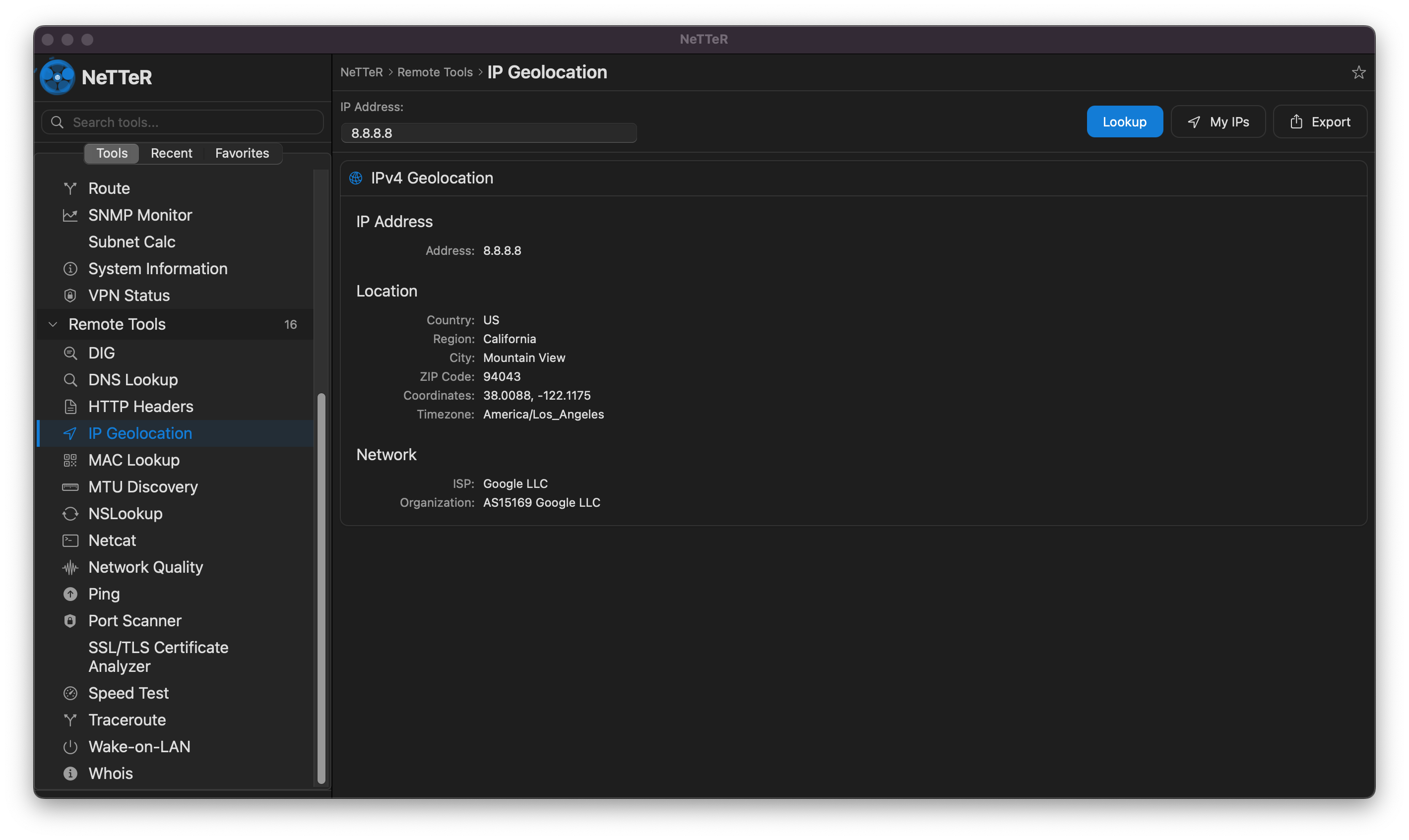
IP Geolocation
Perform geolocation lookups to retrieve geographic location and network information for any IP address. The tool displays country, region, city, coordinates, timezone, ISP, and organization details. Shown here is a lookup for Google's public DNS server (8.8.8.8) located in Mountain View, California.
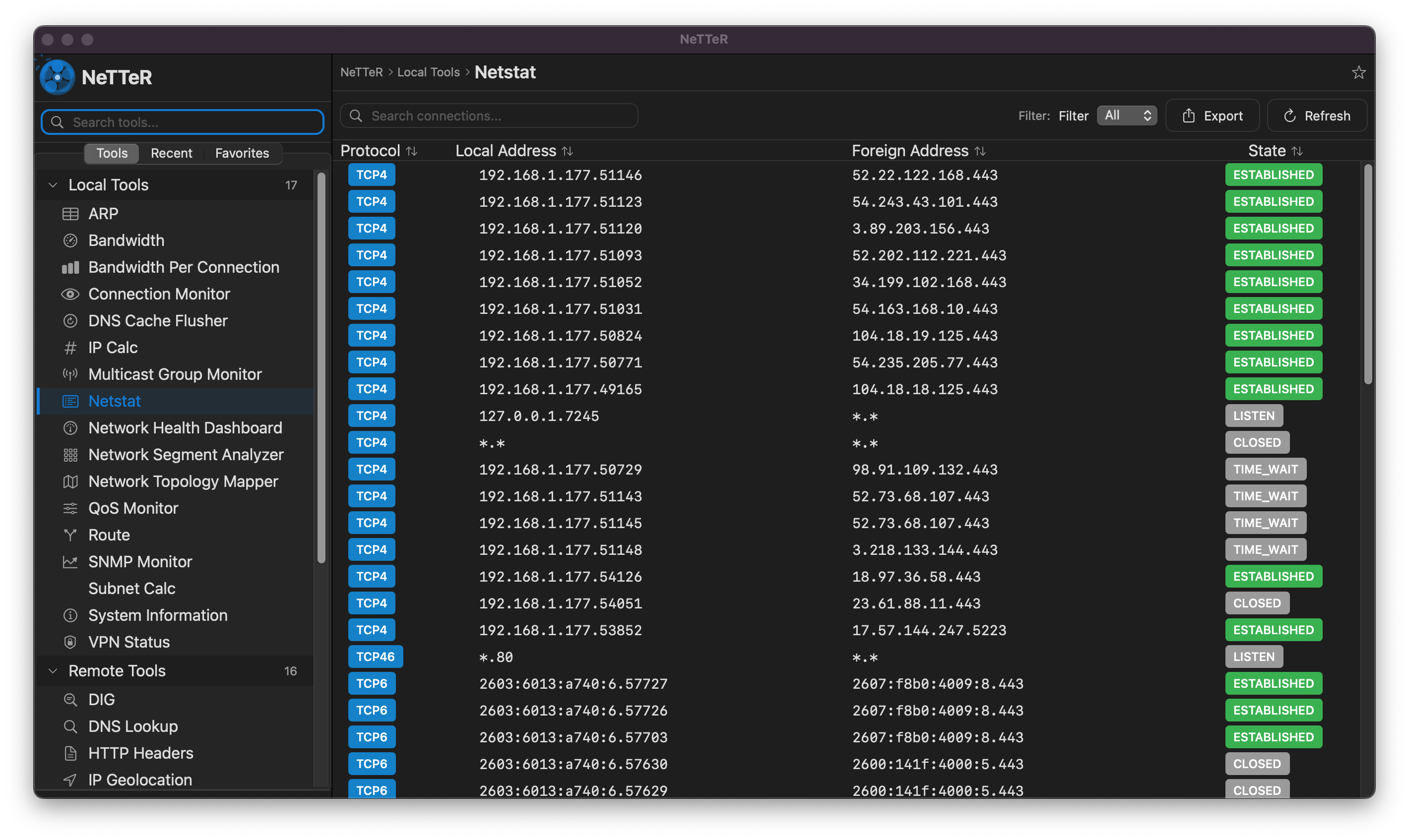
Netstat - Network Connections
Monitor active network connections in real-time with detailed protocol, address, and state information. The table displays TCP4 and TCP6 connections with color-coded status badges (ESTABLISHED, LISTEN, CLOSED, TIME_WAIT) for quick visual identification of connection states. Includes search and filter capabilities for efficient analysis.
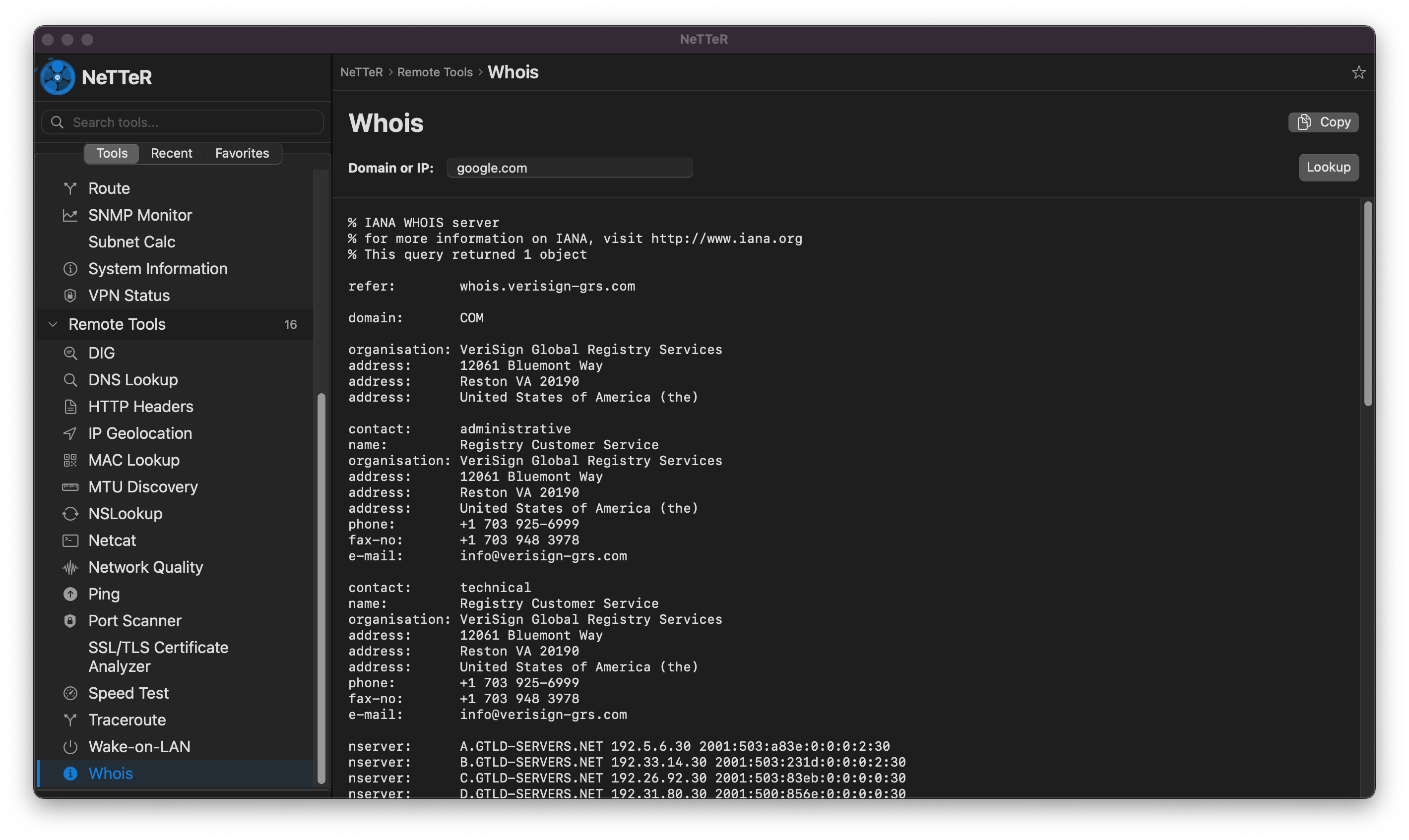
Whois - Domain Information
Retrieve comprehensive domain registration and IP address ownership information. The tool queries WHOIS databases to display registrar details, contact information, name servers, and registration dates. Shown here is the WHOIS query result for google.com, revealing VeriSign Global Registry Services as the registry operator.
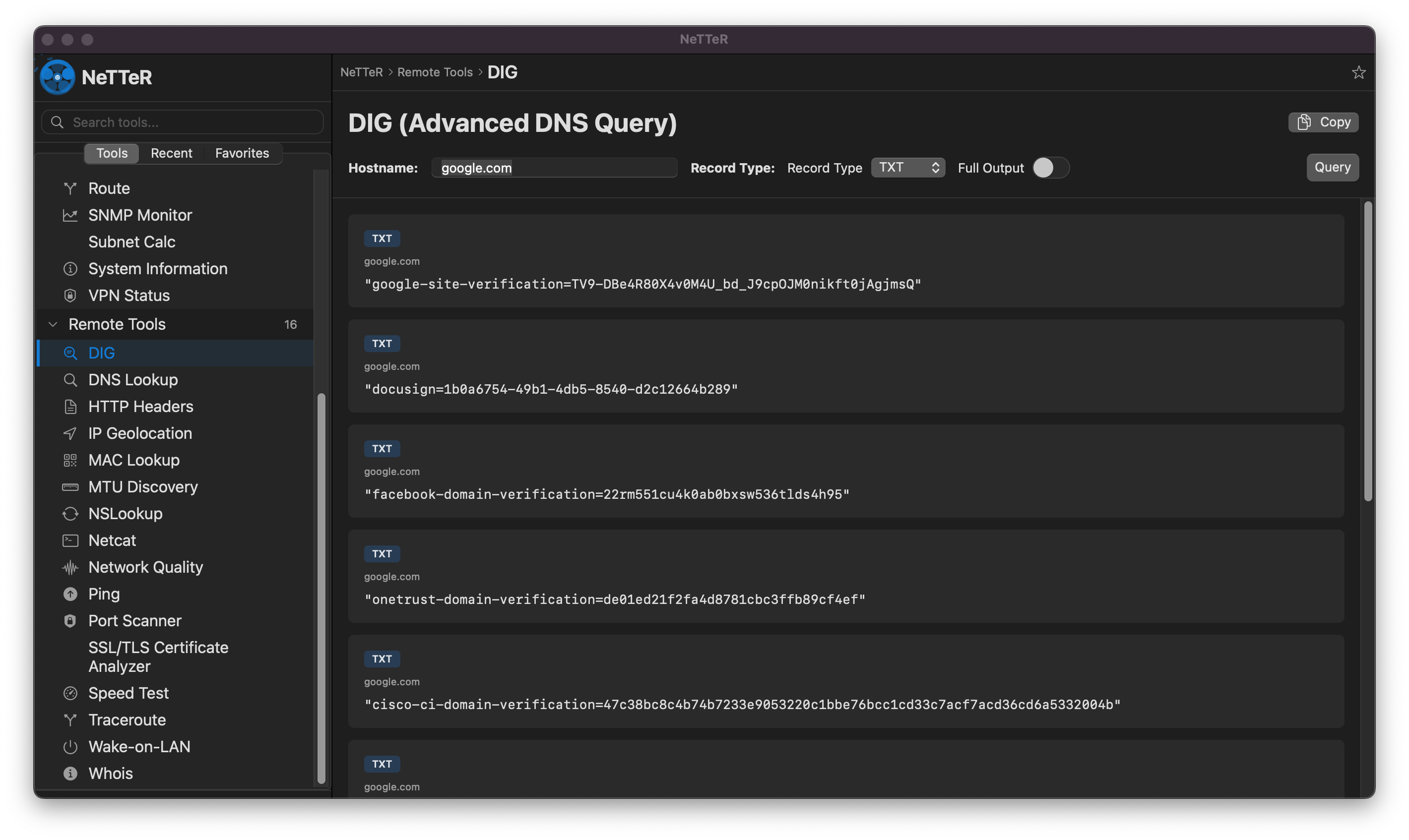
DIG - Advanced DNS Queries
Perform advanced DNS queries with support for all record types (A, AAAA, MX, TXT, CNAME, etc.). The tool provides detailed DNS record information with options for full output and record type selection. Displayed here are TXT records for google.com, including domain verification strings and service configurations.
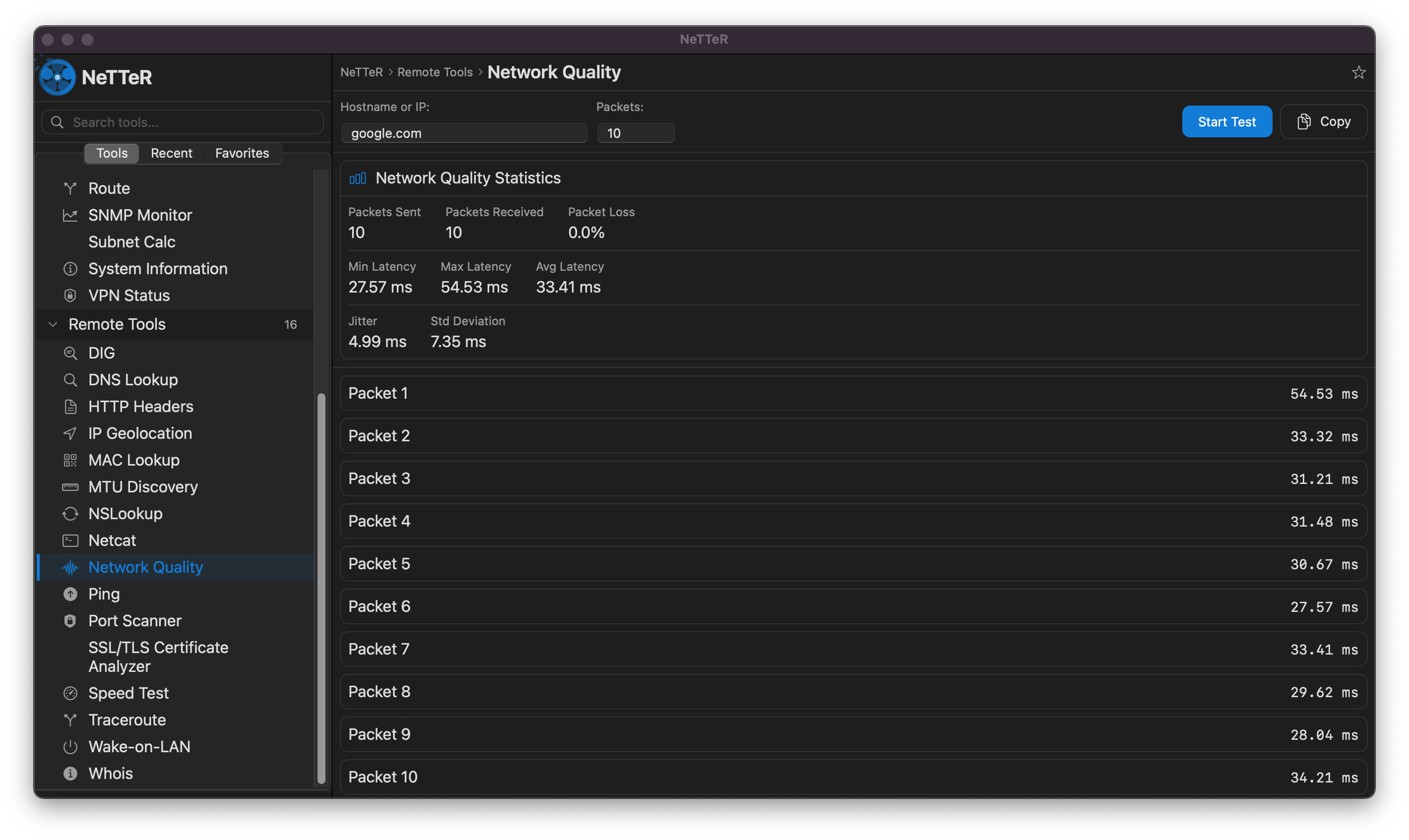
Network Quality Testing
Test and measure network quality metrics including latency, packet loss, jitter, and standard deviation. The tool sends configurable packets to a target host and provides comprehensive statistics including min/max/average latency, packet loss percentage, and individual packet timing. Perfect for diagnosing network performance issues.
Coming in v0.9
We're constantly working to improve NeTTeR. Here's what's planned for the next release:
Packet Capture & Analysis
Advanced packet capture capabilities with real-time analysis, protocol filtering, and detailed packet inspection for deep network diagnostics.
Network Traffic Visualization
Interactive charts and graphs for bandwidth usage, connection trends, and network activity over time with customizable time ranges.
Historical Data Tracking
Store and analyze historical network metrics, connection logs, and performance data for trend analysis and capacity planning.
Network Alerts & Notifications
Configure custom alerts for network events, threshold breaches, connection failures, and performance degradation with desktop notifications.
Automated Network Reports
Generate comprehensive network health reports with scheduled exports, customizable templates, and automated email delivery.
Enhanced Export Formats
Support for additional export formats including Excel, XML, and custom CSV templates with advanced formatting options.
Customizable Dashboards
Create personalized dashboards with drag-and-drop widgets, custom layouts, and saved configurations for different monitoring scenarios.
Network Performance Baselines
Establish performance baselines for your network and automatically detect anomalies, deviations, and potential issues.